A Hybrid-Friendly Home Setup That Doesn't Take Over Your Living Room
Lighting, sound, ergonomics, and storage tips for people who work from home two or three days a week — without turning the spare room into a sad cubicle.
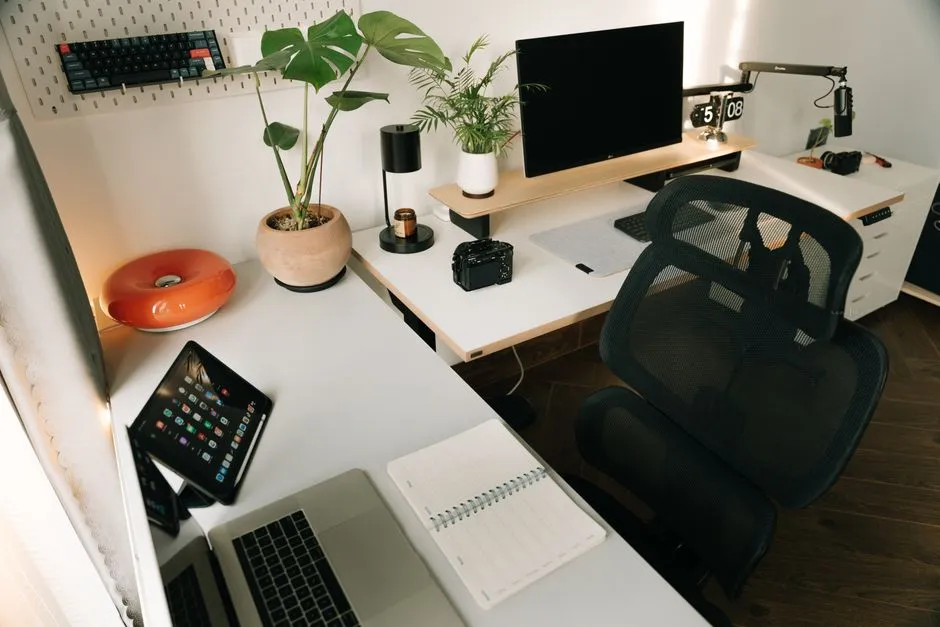
Optimize for the days you're actually home
Full-time remote workers can justify a dedicated office. Two- or three-day-a-week hybrid workers usually can't, and shouldn't try. The trick is to build a setup that disappears on the days you're not using it — a corner of the living room or a guest bedroom that doesn't feel like a half-finished cubicle when nobody's working from it.
The three things that actually matter
Lighting, sound, and seating. Everything else is a rounding error. Get a good lamp pointed at your face for video calls, a soft surface or rug to absorb echo, and a chair that doesn't punish your lower back after 90 minutes. The chair is the single biggest investment, and it's worth more than any monitor upgrade you might make next.
Audio is the surprise win
People notice your audio quality faster than they notice your video quality, and a $60 USB microphone makes a bigger difference than a $400 webcam. If your role involves a lot of video calls, the upgrade pays for itself in week one in how seriously people take your input.
Lighting that flatters without being theatrical
You don't need a ring light. You need a single soft light source roughly at eye level, slightly off to one side. A cheap LED panel or a desk lamp with a diffuser works fine. Don't sit with a window directly behind you — you'll show up as a silhouette no matter how good your camera is.
Storage is what makes a hybrid setup livable
The reason most home offices look depressing is visible work clutter: charging cables, stacks of documents, a half-eaten lunch from yesterday, a printer that hasn't been used in months. A small cabinet, a single drawer, or even a lidded basket per workstation lets you close the door on the mess at the end of the day. The visual difference is enormous.
The ergonomic checklist
- Top of the monitor at eye level when you're sitting up straight.
- Elbows around 90 degrees when typing.
- Feet flat on the floor or a footrest.
- Keyboard and mouse at the same height — not the mouse on the desk and the keyboard on a tray.
- Stand up and stretch at least once an hour. Set a recurring reminder if you have to.
The boundary trick that actually works
The hardest part of a hybrid home setup isn't physical — it's the mental boundary. The trick that consistently works is having a closing ritual: a 60-second routine at the end of the day that marks the transition. Close the laptop, put it in the cabinet, take a short walk around the block. The walk is the part that makes it stick. Without it, "leaving work" never quite happens, and weekends start to feel like Wednesdays.